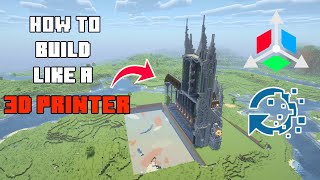
3D Build Guide Minecraft – Your Complete How‑to for Epic Creations
Are you wanting to improve your Minecraft building skills and create eye‑catching 3‑dimensional structures? This guide walks you through every stage of the process, from the first sketch to the final decorative touches. Follow the five simple steps below, use the powerful Litematica mod, and you’ll be crafting amazing and epic builds in no time.
Step 1 – Plan Your Build and Choose a Theme
Every great 3D project starts with a clear plan. Decide on a theme (medieval castle, futuristic tower, natural wonder, etc.) and sketch a rough outline on paper or in a digital note. Consider the scale: a small house may need a 10×10 base, while a grand palace could require a 50×50 footprint.
Litematica is a super helpful tool for this stage. With its schematic preview you can place a ghost image of your design in the world, move it around, and test different orientations before laying the first block.
Step 2 – Gather the Right Blocks and Materials
Choosing blocks that match your theme is essential for visual cohesion. Here are some reliable options:
- Stone, Andesite, and Polished Granite – perfect for sturdy, classic structures.
- Glass, Sea Lantern, and Prismarine – ideal for modern or underwater builds.
- Oak, Spruce, and Dark Oak Wood – give a natural, rustic feel.
- Terracotta, Concrete, and Wool – add bold colors and patterns.
Collect enough of each material before you start. Use a chest or a dedicated “building inventory” to keep everything organized and avoid constant trips to the quarry.
Step 3 – Lay the Foundation and Build a Grid Framework
A solid foundation prevents sagging and keeps your design symmetrical. Follow these quick actions:
- Mark the outer edges of your build with a temporary block (e.g., dirt).
- Fill the interior with a base layer of your chosen floor material.
- Use Litematica’s grid overlay or place a simple “guide grid” of quartz blocks every 5 blocks to maintain even spacing.
With the grid in place, erect the vertical pillars that will support walls, floors, and roofs. Keep pillar heights consistent; a ruler or the F3 debug screen can help you measure exact block counts.
Step 4 – Add Walls, Floors, and Architectural Details
Now the structure takes shape. Build walls layer by layer, alternating textures to create depth. For example, combine smooth stone with cracked stone bricks for a weathered look.
Incorporate windows, doors, and arches as you go. Use glass panes for sleek windows, and iron doors for a fortified entrance. Remember to leave space for interior rooms and staircases.
Details make a build epic:
- Insert slabs and stairs to form ledges, cornices, and rooflines.
- Apply carved pumpkins or flower pots for decorative accents.
- Use glowstone or shroomlight to light interiors without breaking immersion.
Step 5 – Finish with Landscaping, Redstone, and Final Touches
The finishing stage turns a solid building into a living environment.
- Landscaping: Surround your structure with paths, gardens, and water features. Use coarse dirt for pathways and leaf blocks for natural borders.
- Redstone: Add hidden doors, lighting circuits, or trap mechanisms to make the build interactive. Simple piston doors or daylight sensors can enhance functionality without clutter.
- Interior Design: Furnish rooms with chests, crafting tables, and decorative banners. Place bookshelves, armor stands, and item frames to give a lived‑in feel.
Take a step back, walk around your creation, and adjust any uneven sections. Small tweaks—like swapping a block type or adding a decorative fence—can dramatically improve the overall look.
Additional Tips for Advanced Builders
Once you’ve mastered the five steps, try these advanced techniques to push your builds even further:
- Layered Textures: Blend multiple block types within the same wall to simulate aging or erosion.
- Scale Variations: Mix large, bold elements with tiny details (e.g., a grand arch paired with tiny lanterns) for visual interest.
- Dynamic Lighting: Use a combination of sea lanterns, hidden glowstone, and redstone lamps to create day‑night lighting cycles.
- Mod Integration: Beyond Litematica, consider using WorldEdit for bulk edits or Chisel & Bits for intricate micro‑blocks.
Conclusion – Build Your 3D Masterpiece Today
This is how you transform a simple idea into an epic 3D Minecraft build. By planning carefully, selecting appropriate materials, constructing a solid framework, adding detailed architecture, and polishing with landscaping and redstone, you’ll create structures that stand out in any world.
Remember, practice is the key. Each project teaches new techniques, and the more you build, the more confident you’ll become. Grab your pickaxe, fire up Litematica, and start shaping the next masterpiece that will inspire fellow players.
![The ULTIMATE Guide to Building in Minecraft [FULL MOVIE]](https://i.ytimg.com/vi/HjqkrPHZQyA/mqdefault.jpg)