How To Clean The Dust Out Of An Xbox Series X Fan Without Taking It Apart
If you’ve noticed your Xbox Series X getting louder or heating up faster, dust may be clogging the internal fan. The good news is you can remove that dust without opening the console. This guide walks you through a safe, effective method to clean the dust out of an Xbox Series X fan without taking it apart, using tools you likely already have at home.
Why Dust Builds Up Inside the Xbox Series X
The Xbox Series X is designed with a compact, high‑performance cooling system. Air is drawn in through the vents, passes over the fan and heat sink, and exits via the rear exhaust. Over time, airborne particles settle on the fan blades and heat‑sink fins. When dust accumulates, airflow is restricted, causing the fan to work harder, which can lead to:
- Increased fan noise
- Higher operating temperatures
- Potential performance throttling
Regular cleaning helps maintain optimal performance and extends the life of your console.
Tools You’ll Need
- Compressed air canister – preferably with a thin nozzle for precise bursts.
- Soft brush – a clean paintbrush or an anti‑static brush works best.
- Micro‑fiber cloth – for wiping the exterior and catching loose particles.
- Vacuum cleaner with a brush attachment – optional, but useful for gathering expelled dust.
- Isopropyl alcohol (90% or higher) – for cleaning the vent grilles if needed.
Step‑by‑Step Guide to Clean The Dust Out Of An Xbox Series X Fan Without Taking It Apart
Follow these steps to clear dust from the fan while the console remains fully assembled.
- Power down and unplug the console. Allow the Xbox Series X to cool for at least five minutes. This reduces the risk of damaging internal components with sudden airflow.
- Position the console upright. Place it on a stable surface with the vent grilles facing upward. This orientation helps dust fall away from the fan rather than back into the system.
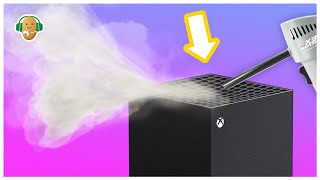
- Use compressed air on the front vents. Hold the can upright and spray short bursts (1‑2 seconds) into each vent slot. Aim the nozzle at an angle to push dust out rather than deeper into the fan.
- Brush the vent edges. Immediately after each air burst, run the soft brush along the vent edges to loosen any remaining particles. This prevents dust from re‑settling.
- Vacuum the expelled dust. With the brush attachment, gently vacuum the area around the console. This captures the dust that was blown out, keeping it from resettling on surfaces.
![How to Clean Xbox Series X Without Opening It [Safe Dust Removal]](https://i.ytimg.com/vi/mMpboBwtBis/mqdefault.jpg)