Exploring Learning Opportunities In Minecraft Education
Minecraft Education Edition (MEE) has become a dynamic platform for teachers seeking immersive, student‑centered experiences. By blending the familiar sandbox world of Minecraft with curriculum‑aligned tools, educators can turn abstract concepts into tangible, interactive challenges. This article outlines the key benefits, practical classroom strategies, and proven project ideas for using Minecraft Education effectively.
Why Choose Minecraft Education?
Unlike the commercial version of Minecraft, the Education Edition includes built‑in features designed specifically for teaching and learning. These features make it easier to align gameplay with standards and assess student progress.
- Curriculum integration: Lesson plans cover subjects such as mathematics, science, language arts, and social studies.
- Collaboration tools: Voice chat, real‑time messaging, and shared inventories encourage teamwork.
- Data collection: The Code Builder and Classroom Mode dashboards let teachers monitor player actions, track achievements, and export results.
- Safe environment: All worlds are hosted on school‑controlled servers, with strict privacy settings and moderated content.
Getting Started: Setting Up a Classroom World
1. Choose a Ready‑Made Lesson or Build From Scratch
Microsoft provides a library of free lessons that align with Common Core, NGSS, and other standards. Teachers can also create custom worlds using the World Builder tools, allowing them to tailor terrain, resources, and objectives to specific learning goals.
2. Organize Students Into Teams
Effective collaboration starts with clear group structures. Use the Classroom Mode panel to assign students to teams, set spawn points, and grant or restrict permissions (e.g., building, destroying, or using redstone).
3. Establish Ground Rules
Before entering the world, discuss expectations for communication, respect for shared resources, and digital citizenship. A brief in‑game tutorial can reinforce these rules and demonstrate how to use the chat and inventory functions.
Curriculum Connections
Mathematics
Minecraft’s block‑based environment naturally supports geometry, measurement, and algebraic thinking. Example activities include:
- Designing a scale model of a historic building and calculating volume and surface area.
- Creating a redstone calculator that teaches binary numbers and logical operations.
- Using coordinate blocks to plot points on a 3‑D grid, reinforcing concepts of distance and slope.
Science
From ecosystems to chemistry, Minecraft Education offers simulated experiments that are safe and repeatable.
- Ecosystem simulation: Students build biomes, introduce flora and fauna, and observe energy flow and food‑web dynamics.
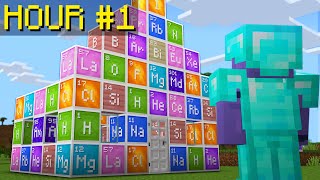
- Chemical reactions: The Elemental Combiner lets learners mix virtual elements to see realistic outcomes, supporting lessons on states of matter and reaction types.
- Physics challenges: Redstone circuits model electricity, while pistons demonstrate simple machines and force.
Language Arts
Storytelling thrives in a visual world. Teachers can assign narrative projects where students:
- Write a script for an in‑game role‑play, then perform it with voice chat.
- Develop a digital diary documenting their construction process, integrating descriptive language and reflection.
- Analyze character development by creating NPCs (non‑player characters) with dialogue trees.
Social Studies
Historical reconstruction and cultural exploration become vivid when students recreate ancient cities, trade routes, or government systems. Activities might include:
- Building a replica of the Roman Forum and researching its civic functions.
- Designing a marketplace that illustrates supply‑and‑demand principles.
- Simulating a United Nations debate within a custom conference hall.
Assessment Strategies In Minecraft
Effective assessment blends observation, digital data, and student reflection.
- Performance rubrics: Evaluate teamwork, problem‑solving, and creativity based on specific criteria.
- Exported logs: Classroom Mode records block placements, command usage, and time spent on tasks, providing quantitative evidence of mastery.
- Student portfolios: Encourage learners to capture screenshots, record short videos, and write brief reflections that showcase their learning journey.
Tips for Maximizing Engagement
- Start with a clear objective. A focused goal—such as “calculate the perimeter of a garden” or “model the water cycle”—keeps students on task.
- Incorporate gamified rewards. Use in‑game items, badges, or leaderboards to motivate progress without fostering unhealthy competition.
- Provide scaffolding. Offer templates, step‑by‑step guides, or partial builds to support learners who need additional structure.
- Encourage peer teaching. Pair advanced builders with novices so knowledge transfer occurs organically.
- Reflect after each session. A quick debrief helps students articulate what they learned and how it connects to real‑world concepts.
Conclusion
Integrating Minecraft Education into the classroom transforms abstract curriculum into hands‑on, collaborative experiences. By leveraging built‑in tools, aligning activities with standards, and employing thoughtful assessment methods, educators can foster deeper understanding across subjects while keeping students motivated. Whether you are introducing basic geometry or simulating complex ecosystems, Minecraft Education offers a versatile, safe, and engaging environment that prepares learners for the challenges of tomorrow.