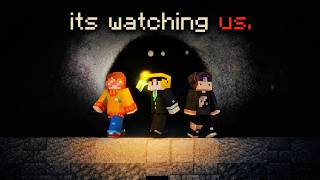
What Are Minecraft ARG Maps?
In the world of Minecraft, ARG (Alternate Reality Game) maps blend traditional adventure gameplay with puzzle‑solving, storytelling, and real‑world clues. These maps are designed to immerse players in a mystery that unfolds across in‑game locations, external websites, and sometimes even social media platforms. The result is an interactive experience that feels like a digital treasure hunt, encouraging collaboration and critical thinking.
How Minecraft ARG Maps Work
When you first load a Minecraft ARG map, you’ll notice a clear starting point—often a note, a chest, or a command block that sets the narrative tone. From there, the map provides a series of objectives that can include:
- Decoding hidden messages in signs or books.
- Finding coordinates that lead to secret structures.
- Solving redstone puzzles that unlock new areas.
- Following clues that reference external URLs or Discord servers.
As you progress, the story evolves. Some maps even require you to interact with real‑world elements, such as entering a code found on a YouTube video description. This layered approach keeps the experience fresh and encourages players to think outside the blocky world.
Popular Themes and Formats
Minecraft ARG maps cover a wide range of themes, from horror and sci‑fi to historical mysteries. Common formats include:
- Survival‑Based ARGs – Players must gather resources while solving puzzles, adding a survival challenge to the narrative.
- Creative‑Based ARGs – These focus on exploration and story, with minimal combat, allowing players to appreciate the map’s design.
- Multiplayer‑Focused ARGs – Designed for groups, these maps often incorporate coordinated tasks that require teamwork.
Getting Started: Installation and Play
To dive into a Minecraft ARG map, follow these steps:
- Download the map file from a reputable source. Verify that the file matches the description of the ARG you want to explore.
- Extract the zip archive into your Minecraft saves folder. The default path is %appdata%/Roaming/.minecraft/saves on Windows.