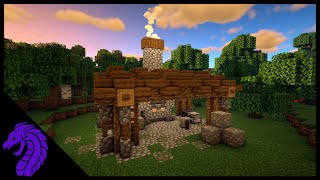
What Is Minecraft Forge?
Minecraft Forge is a free, open‑source modding platform that simplifies the process of adding custom content to the popular sandbox game Minecraft. By providing a standardized API (application programming interface), Forge allows developers to create and distribute mods without worrying about compatibility conflicts that were common in earlier versions of the game.
Why Players Choose Minecraft Forge
Since its first release in 2011, Forge has become the most widely adopted tool for Minecraft modding. The main reasons players prefer it include:
- Compatibility: Forge loads multiple mods simultaneously, handling version mismatches and ensuring a stable gameplay experience.
- Community Support: Thousands of tutorials, forums, and YouTube channels are dedicated to helping newcomers install and use the platform.
- Extensibility: Developers can access a rich set of libraries that simplify tasks such as adding new blocks, items, and entities.
Installing Minecraft Forge
Step‑by‑Step Guide
- Visit the official Forge website and locate the Installer for the Minecraft version you wish to play.
- Download the installer file (usually a .jar).
- Run the installer and select “Install client.” The program will automatically add a new profile to your Minecraft launcher.
- Open the Minecraft launcher, choose the newly created Forge profile, and click “Play.”
- Once the game loads, you will see a “Mods” button on the main menu, confirming that Forge is installed correctly.
Getting Started with Mod Development
For aspiring modders, Minecraft Forge provides a clear pathway from concept to functional mod. The typical workflow involves:
- Setting up a development environment using Gradle and an IDE such as IntelliJ IDEA or Eclipse.
- Creating a new project that includes the Forge MDK (Mod Development Kit) files.
- Writing Java code that defines new items, blocks, or gameplay mechanics, while using Forge’s event system to hook into the game’s lifecycle.
- Testing the mod in a sandbox world launched through the Forge profile.
- Packaging the compiled .jar file and distributing it via platforms like CurseForge or Modrinth.
Popular Minecraft Forge Mods
While the modding community is constantly evolving, several Forge‑based additions have stood out for their impact on gameplay:
- Thermal Expansion: Adds machines, power systems, and new resources for tech‑oriented players.
- Biomes O' Plenty: Introduces over 80 new biomes, dramatically expanding the world‑generation variety.
- Just Enough Items (JEI): Provides an in‑game recipe viewer that helps players discover crafting possibilities.
- Quark: Enhances vanilla Minecraft with subtle