Minecraft Java Edition: The Classic Experience for Creative Players
Minecraft Java Edition remains the original sandbox that launched a global phenomenon in 2011. Since I bought the game in 2011, I've always stuck with the Java version because it offers unrivaled flexibility for modding, server hosting, and community-driven updates. If you’re new to the world of blocks, or a veteran looking to deepen your knowledge, this guide covers the essentials you need to know.
Why Choose Java Over Bedrock?
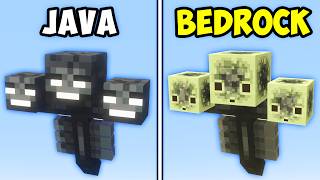
Both Java and Bedrock share the core mechanics of mining, crafting, and building, but there are key differences that influence the player experience.
- Mod Support: Java Edition’s open architecture allows thousands of community‑made mods, from texture packs to complete gameplay overhauls.
- Server Control: Hosting a private server is straightforward, giving you full control over rules, plugins, and world generation.
- Performance: While Bedrock is optimized for consoles and mobile, Java can be tuned with video settings and resource packs to match a wide range of hardware.
- Updates: Java receives snapshot builds first, letting players test upcoming features before they land in the official release.
In short, if you value customization and a vibrant modding community, Java is the clear choice.
Getting Started: Install and Take Your First Steps
To begin, download the Minecraft Launcher from the official website and purchase the Java Edition. After installation, follow these steps to start playing:
- Launch the game and select the latest release version.
- Create a new world or join a server using the Multiplayer tab.
- Gather basic resources: wood, stone, and food.
- Craft essential tools and a shelter before nightfall.
- Explore the world, mine deeper, and expand your base.
These fundamentals mirror the classic mantra: Create, explore, survive, repeat. Get comfortable with each cycle, and you’ll quickly master the basics.
Advanced Gameplay: From Redstone to Exploration
Beyond the starter guide, Java Edition offers layers of depth that keep players engaged for years.
- Redstone Engineering: Build complex circuits, automated farms, and hidden doors using redstone dust, repeaters, and comparators.
- Enchanting and Brewing: Upgrade weapons and armor with enchantments, and craft potions to boost survivability.
- Exploration: Discover diverse biomes, strongholds, and the End dimension, each presenting unique challenges.
- Community Projects: Join massive builds like city recreations or collaborative adventure maps that showcase collective creativity.