What Are Minecraft Java Servers?
The term Minecraft Java Servers refers to multiplayer worlds that run on the Java Edition of the game. Unlike the Bedrock edition, Java servers can be customized with mods, plugins, and custom rules, giving players a wide range of gameplay experiences. Whether you want a survival island, a creative building hub, or a competitive PvP arena, there is a Java server that fits the bill.
How to Find the Best Minecraft Java Servers
Finding a server that matches your play style can be overwhelming, but a few simple steps can narrow the field quickly.
1. Check Rankings and Community Reviews
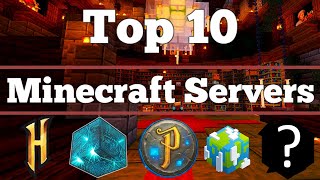
Many YouTubers and gaming websites publish lists of the most popular servers. In this video, we cover the top servers based on player counts, uptime, and community feedback. Look for rankings that include player reviews and recent activity logs.
2. Identify Server Types
Servers typically fall into several categories:
- Survival – Classic gameplay with resource gathering and mob combat.
- Creative – Unlimited building blocks and tools for architects.
- Mini‑Games – Fast‑paced challenges like SkyWars, Hunger Games, or parkour.
- Modded – Servers that run popular mods such as Feed The Beast or Tekkit.
Knowing which category you prefer helps you filter out irrelevant options.
Top Features to Look for on a Minecraft Java Server
When evaluating a server, consider these essential features:
- Stable Uptime – A server with at least 99% uptime ensures you can play whenever you want.
- Active Administration – Look for staff who respond quickly to tickets and enforce rules fairly.
- Custom Plugins – Servers that use plugins like EssentialsX or WorldEdit enhance gameplay and provide useful commands.
- Community Events – Regular events keep the community engaged and give players a chance to earn unique rewards.
- Performance Optimization – Servers that run on modern hardware (e.g., SSD storage and high‑frequency CPUs) deliver smoother gameplay.
How to Create Your Own Minecraft Java Server
If you prefer a private world or want to host a community of friends, setting up a server is straightforward. This works for Minecraft Java Edition on Windows.
Step‑by‑Step Guide
- Download the latest server .jar file from the official Minecraft website.
- Create a folder named MinecraftServer and place the .jar file inside.
- Open a text editor and write the following command: java -Xmx2G -Xms2G -jar server.jar nogui Replace 2G