Minecraft Music Block Songs: A Guide to Creating Your Own Soundtrack
Since its launch, Minecraft has offered players countless ways to express creativity, and music block songs are among the most popular. By using note blocks, redstone, and a little imagination, you can recreate iconic melodies, craft original tunes, and even sync music to in‑game events. This article explains how music blocks work, highlights favorite songs, and shares resources that the community uses to keep the soundtrack fresh.
How Music Blocks Work
Note blocks are simple yet versatile. Each block can produce one of 25 pitches across 16 instrument sounds, determined by the block material it sits on and the block placed directly above it. Redstone signals control when the note is played, allowing you to build sequencers that repeat a melody indefinitely.
Setting Up a Song
- Choose a scale. Decide whether you want a piano‑like tone (using wooden planks) or a bassier feel (using stone).
- Lay out the notes. Place note blocks in the order of the melody, adjusting pitch by right‑clicking each block.
- Connect with redstone. Use repeaters, comparators, and dust to create a timing circuit that matches the song’s tempo.
- Test and tweak. Play the sequence, listen for off‑beats, and adjust repeaters until the rhythm feels natural.
Popular Song Choices
Players often start with recognizable tunes that fit the block’s limited range. Some of the most requested songs include:
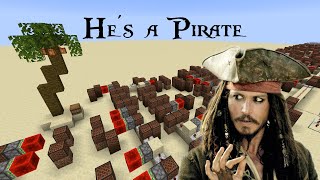
- Pirates of the Caribbean – Main Theme. A fan‑made version can be heard in the “World download” video, and many builders replicate its swashbuckling rhythm using a combination of bass and snare notes.
- MEGALOVANIA by Toby Fox. The original track is available on YouTube (https://youtu.be/0FCvzsVlXpQ), and a player‑perspective walkthrough (https://youtu.be/VhasCNkSHwk) shows how each note aligns with the block grid.
- “Steve’s Lava Chicken,” a whimsical meme song that showcases how humor can be turned into a catchy in‑game composition.


![[Minecraft] MEGALOVANIA [NoteBlock]](https://i.ytimg.com/vi/YbGsHGaqqdk/mqdefault.jpg)


