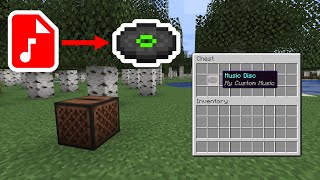
What Is the Minecraft Music Control Mod?
The Music Control Mod is a client‑side add‑on that lets players manage in‑game music without leaving the world. By integrating with Minecraft’s built‑in sound engine, the mod provides a simple interface for pausing, skipping, and adjusting volume levels of background tracks, jukebox songs, and custom music packs.
Key Features and Benefits
Players who install the Music Control Mod enjoy several practical advantages:
- Instant pause and resume – Stop any track with a single key press and pick up right where you left off.
- Track navigation – Use next/previous shortcuts to cycle through songs in a jukebox or music disc playlist.
- Volume blending – Adjust music volume independently of sound effects, allowing for a balanced auditory experience.
- Custom music support – Load resource packs that contain new compositions, then control them with the same interface.
- Lightweight performance – The mod runs on the client only, so it does not affect server tick rates or cause lag.
Installation Guide
Installing the Music Control Mod follows the standard Minecraft mod setup. Follow these steps for a smooth installation:
- Visit the official page on https://www.curseforge.com/ and locate the latest release of the Music Control Mod.
- Download the .jar file that matches your Minecraft version.
- Place the file into the mods folder of your Minecraft directory. If the folder does not exist, create it.
- Launch Minecraft with a compatible loader such as Fabric or Forge, depending on the mod’s requirements.
- Confirm the mod is active by checking the Mods list on the main menu.
How to Use the Mod In‑Game
Once installed, the Music Control Mod adds a small overlay in the top‑right corner of the screen. The overlay displays the current track name and offers the following controls:
- Pause/Play – Press M (default) to toggle playback.
- Next Track – Press Shift + M to skip forward.
- Previous Track – Press Ctrl + M to go back.
- Volume Up/Down – Use the mouse wheel while hovering over the