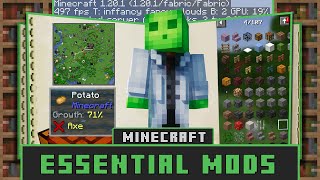
Minecraft Quality Of Life Mods: Enhancing Gameplay Without Changing Core Mechanics
Since its release, Minecraft has captivated players with its limitless creativity and open‑ended survival challenges. While the vanilla game already offers countless hours of fun, many players turn to quality of life (QoL) mods to streamline repetitive tasks, improve the user interface, and make long sessions more enjoyable. Unlike major content mods that add new dimensions or mobs, QoL mods keep the core gameplay intact and focus on small, thoughtful tweaks that together create a smoother experience.
Why Quality of Life Matters in Minecraft
Even the most dedicated Minecraft fans encounter moments where the game’s default mechanics feel cumbersome. Examples include:
- Manually sorting items in chests.
- Finding the exact block placement angle for redstone contraptions.
- Constantly pressing the “F3” key to check coordinates.
These micro‑frustrations can add up, especially in large builds or long‑term survival worlds. Quality of life mods address these pain points, allowing players to focus on creativity and exploration instead of tedious micromanagement.
Top Minecraft Quality Of Life Mods for 2024
1. Inventory Tweaks Renewed
Inventory Tweaks Renewed automates sorting, stacking, and moving items between chests. With a single key press, the mod can:
- Group identical items together.
- Move items to the most appropriate chest based on user‑defined rules.
- Refill hotbars automatically when they become empty.
Players report faster inventory management, especially during resource‑gathering expeditions.
2. Just Enough Items (JEI)
JEI replaces the older “Not Enough Items” interface with a clean, searchable recipe viewer. Its main features include:
- Instant access to crafting recipes and usage locations.
- Hover‑over tooltips that display item IDs for mod compatibility.
- Search filters that support wildcards and mod‑specific tags.
Because JEI integrates directly into the pause screen, players never need to leave the world to check a recipe.
3. MiniHUD
MiniHUD provides on‑screen overlays for information that would otherwise require the F3 debug screen. Key data points include:
- Current coordinates, biome, and light level.
- Health, hunger, and armor values shown in a compact bar.
- Optional “waypoint” markers that help with navigation.
The overlay is fully customizable, letting users hide or reposition elements to suit their play style.
4. Mouse Tweaks
Mouse Tweaks enhances the default mouse controls for inventory actions. Notable improvements are:
- Shift‑click dragging to move entire stacks across multiple slots.
- Right‑click “quick‑move” that transfers a single item without opening a separate menu.
- Configurable keybindings that let players tailor the behavior to their preferences.
This mod reduces the number of clicks needed for common actions, a small change that significantly speeds up crafting sessions