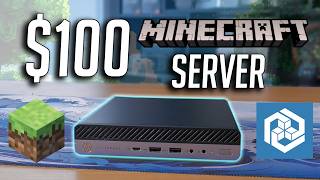
How to Create a Reliable Minecraft Server for Under $100
Running a Minecraft Server gives you full control over game settings, mods, and the community you build. Whether you want a private world for friends or a public SMP (Survival Multiplayer) that can host dozens of players, a functional server can be set up with a modest budget. This guide walks you through the essential steps, hardware choices, and software options to launch a stable server without breaking the bank.
Why Choose a Low‑Cost Setup?
Many creators on platforms like YouTube and Discord showcase budget-friendly builds that deliver solid performance. A sub‑$100 server is appealing because:
- It reduces the initial investment for new creators.
- It allows you to experiment with plugins and mods before scaling up.
- It keeps monthly hosting fees low, freeing up funds for content production.
Hardware Options Under $100
There are two main paths: a dedicated home machine or a low‑cost VPS (Virtual Private Server). Both can handle a moderate player count (10‑20 concurrent users) when optimized.
- Raspberry Pi 4 (4 GB) – Approx. $55
- Compact, low power consumption.
- Runs the official Minecraft: Java Edition server with Java 17.
- Requires a microSD card (32 GB or larger) for storage.
- Budget Desktop PC – Approx. $80–$100
- CPU: Intel i3‑10100 or AMD Ryzen 3 3100.
- 8 GB DDR4 RAM (2 × 4 GB sticks).
- 500 GB SSD for fast world loading.
- Low‑Cost VPS – $5–$10 per month
- 1 vCPU, 2 GB RAM, 20 GB SSD.
- Providers such as Hetzner, Contabo, or DigitalOcean often have promotional credits.
Software Setup – Step by Step
Follow these steps to get your Minecraft Server online quickly.
- Install Java – The server runs on Java 17+. On Linux, use sudo apt install openjdk-17-jre-headless. On Windows, download the JRE from the official Oracle site.
- Download the Server JAR – Visit