What Is a Minecraft Server Death Counter?
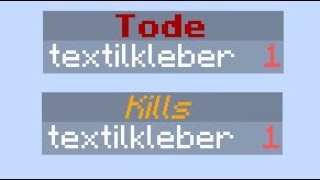
A death counter is a scoreboard that tracks how many times each player has died on a Minecraft server. It is useful for PvP arenas, minigames, and survival worlds where players want to compare performance or trigger events based on death counts. Because the counter is stored in the server’s scoreboard system, it updates instantly and can be displayed on the sidebar, in chat, or on a map.
Why Add a Death Counter to Your Server?
Implementing a death counter brings several benefits:
- Competitive gameplay: Players can see who has the highest or lowest death count, encouraging friendly rivalry.
- Automation triggers: Commands can react to a specific number of deaths, such as granting rewards or resetting a player’s inventory.
- Statistics tracking: Server admins gain insight into player behavior, helping balance maps and game modes.
- Community engagement: Sharing death stats on Discord, TikTok, or Reddit creates content that keeps the community active.
How to Make a Death Counter with Commands in Minecraft (Java 1.21.4)
The process uses only built‑in commands, so no plugins are required. Below is a step‑by‑step guide that works on the latest Java edition (1.21.4).
1. Create the Scoreboard Objective
- Open the chat window (default T key).
- Enter the following command to create a new objective that tracks deaths:
- /scoreboard objectives add Deaths deathCount "Deaths"
This command registers an objective named Deaths that automatically increments whenever a player dies.
2. Display the Counter on the Sidebar
- Run the command:
- /scoreboard objectives setdisplay sidebar Deaths
Now every player’s death total appears on the right side of the screen for all participants.
3. Resetting or Modifying the Counter
If you need to clear a player’s deaths or set a custom value, use:
- /scoreboard players reset playerName Deaths – removes the player from the scoreboard.
- /scoreboard players set playerName Deaths number – assigns a specific count.
4. Using Command Blocks for Automatic Actions
To trigger events based on a death count, place a command block set to “Repeat” and “Always Active” with a command such as:
/execute as @a[scores={Deaths=5..}] run


![Minecraft 1.20 - How to add a Death Counter to your Server [WORKS IN 2023]](https://i.ytimg.com/vi/GPoeOp4MfJM/mqdefault.jpg)


![Scoreboard: Kill- & Death Counter erstellen (Alle Einstellungen) - Tutorial [HD+]](https://i.ytimg.com/vi/eyPhAjKCs44/mqdefault.jpg)


