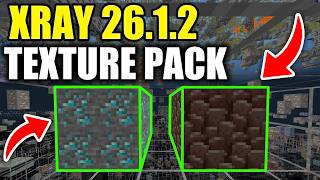
What Is a Minecraft X‑Ray Resource Pack?
An X‑Ray resource pack is a texture modification that makes certain blocks—typically ores, chests, and end‑game structures—appear bright or fully visible through surrounding stone. Unlike cheat mods that alter game logic, an X‑Ray pack only changes the visual appearance of blocks, keeping the underlying mechanics unchanged.
How X‑Ray Works in Minecraft Java Edition 1.21.10
In version 1.21.10, the game loads textures from the active resource pack before rendering the world. An X‑Ray pack replaces the default textures of targeted blocks with fully bright or transparent versions. When you look at a chunk, the modified textures let you spot ores or other valuable blocks from a distance, but the game still calculates line‑of‑sight and collision normally.
Key Features of a Modern X‑Ray Pack
- Bright, high‑contrast textures for diamonds, gold, iron, redstone, and copper.
- Transparent or “invisible” textures for stone, dirt, and other filler blocks.
- Compatibility with the latest Java Edition updates, including 1.21.10.
- Optional configuration files that let you enable or disable specific block types.
Where to Find a Reliable Minecraft X‑Ray Texture Pack
Several reputable community sites host X‑Ray packs that are regularly updated for the newest game versions. When searching, use keywords such as “Minecraft X‑Ray resource pack 1.21.10” or “X‑Ray texture pack download.” Look for the following indicators of a trustworthy download:
- Version compatibility: The pack description should explicitly mention support for 1.21.10.
- User reviews: Positive feedback and recent comments suggest active maintenance.
- Source verification: Prefer downloads from established platforms like CurseForge, Planet Minecraft, or the official Minecraft forums.
- File integrity: Check that the zip file includes a pack.mcmeta file and no unexpected executables.
Step‑by‑Step Guide: How to Install an X‑Ray Resource Pack
Installing an X‑Ray pack follows the same process as any other resource pack. Below is a concise checklist that works for the Java Edition on Windows, macOS, and Linux.
- Download the pack: Save the zip file to a location you can easily access, such as your desktop.
- Open the Minecraft launcher: Click Installations*, then select the profile you use for 1.21.10.
- Navigate to the resource pack folder: Click More Options*, then