Pixel Art Minecraft: A Step‑by‑Step Guide to Building 8‑Bit Masterpieces
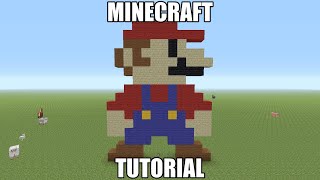
Pixel art has become a cornerstone of creative expression in Minecraft. Whether you’re recreating classic video‑game sprites or designing original characters, the blocky nature of the game makes it the perfect canvas for 8‑bit style creations. This tutorial walks you through the process of planning, building, and showcasing a detailed pixel‑art piece—featuring a tribute to Eric Cartman from South Park—while keeping the focus on realistic image techniques.
Why Pixel Art Works So Well in Minecraft
Each Minecraft block corresponds to a single pixel, allowing creators to translate digital images directly into the game world. The result is a tangible, walk‑through version of an artwork that can be viewed from any angle. Because the game’s lighting and perspective are consistent, a well‑planned pixel art piece will look the same whether it’s viewed up close or from afar.
Getting Started: Materials and Planning
- Choose a reference image. A clear, high‑contrast picture works best. For this guide, we use a screenshot of Cartman’s iconic pose.
- Select a color palette. Minecraft offers 16 standard wool colors, plus concrete, terracotta, and stained glass. Pick shades that match the original image while staying within the limited palette.
- Map the image to a grid. Use a spreadsheet or a free pixel‑art editor to assign each pixel a block type. This step reduces errors during construction.
Building the Cartman Pixel Art
- Set the foundation. Lay a flat area of at least 32 × 32 blocks. Clear any surrounding terrain to avoid accidental block placement.
- Outline the silhouette. Begin with a dark block (e.g., black wool) to trace Cartman’s shape. This creates a visual guide for the rest of the build.
- Fill in color layers. Work from the bottom up, placing each block according to your grid. Use concrete for bright colors like Cartman’s red jacket, and wool for softer tones such as his skin.