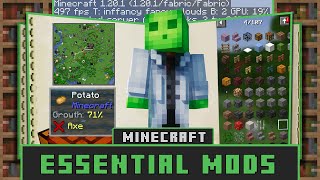
Quality Of Life Mods for Minecraft: Enhancing Your Play Experience
It’s been well over a year since the last time I updated you guys on the latest Minecraft additions, and the community continues to crave smoother, more enjoyable gameplay. Quality of life (QoL) mods are designed to streamline everyday tasks, reduce friction, and let players focus on the creative core of Minecraft. Below, we explore ten standout QoL mods that can transform a standard world into a polished, efficient adventure.
Why QoL Mods Matter
Minecraft’s sandbox nature encourages endless experimentation, but its vanilla interface can become cumbersome during long sessions. QoL mods address common pain points such as inventory management, performance bottlenecks, and visual clutter. By integrating these enhancements, you can spend less time navigating menus and more time building, exploring, or surviving.
Top 10 Quality of Life Mods to Install Today
- OptiFine – Improves frame rates, adds advanced graphics options, and supports shaders. Even players on modest hardware notice smoother movement and clearer textures.
- Just Enough Items (JEI) – Replaces the older “Not Enough Items” with a clean, searchable recipe viewer. It’s essential for crafting without constantly opening the inventory screen.
- JourneyMap – Generates a real‑time map that can be viewed in‑game or as a web browser overlay. Waypoints keep you from getting lost in sprawling caves or massive builds.
- AppleSkin – Shows detailed food values, including saturation, directly on the hunger bar. This visual aid helps you plan meals and avoid unnecessary hunger spikes.
- MiniHUD – Adds customizable HUD elements such as coordinates, light levels, and biome info. You can toggle each component on or off with a single keypress.
- Inventory Tweaks (Inventory Sorter) – Automatically sorts your inventory and chests, saving valuable time after raids or mining expeditions.
- BetterFps