Quilt Minecraft: A Fresh Take on Modding the Game
If you’ve spent any time in the Minecraft community, you’ve probably heard the term “Quilt” tossed around alongside Fabric and Forge. Quilt is a newer mod loader that aims to combine the lightweight nature of Fabric with a more open development model. In this guide we’ll break down what Quilt brings to the table, how to install it, and why it might be the right choice for your next Minecraft adventure.
What Is Quilt?
Quilt is a community‑driven mod loader for Minecraft Java Edition. It started as a fork of Fabric, but quickly grew its own identity. The core goals are:
- Compatibility: Quilt strives to work with the majority of Fabric mods while adding its own APIs.
- Transparency: The project is open‑source and encourages contributions from anyone.
- Stability: Regular updates keep Quilt in sync with the latest Minecraft releases.
Because Quilt builds on Fabric’s lightweight architecture, it imposes minimal performance overhead. Players who want a fast, stable platform for their mods will find Quilt appealing.
Choosing the Right Mod Loader
When you’re new to modding, the sheer number of loaders can be overwhelming. Below is a quick comparison that helps you decide which one fits your playstyle.
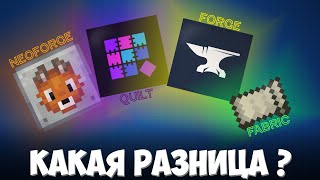
Fabric vs. Forge vs. Quilt
- Forge: The oldest and most feature‑rich loader. Ideal for large, complex mods but can be slower to update after a new Minecraft version.
- Fabric: Minimalist and fast. Perfect for lightweight mods and rapid updates, but some advanced features may be missing.
- Quilt: A blend of Fabric’s speed with added flexibility. It often receives updates at the same pace as Fabric while offering extra hooks for developers.
If you’re looking for a balance between simplicity and future‑proofing, Quilt is worth a try.
Step‑By‑Step: How to Install Quilt
Installing Quilt is straightforward. Follow these steps, and you’ll be ready to load mods in minutes.
1. Download the Quilt Installer
Visit the official Quilt website and download the latest installer for your operating system. The file is typically named quilt-installer.jar.
2. Run the Installer
Double‑click the JAR file (you’ll need Java installed). Choose the Minecraft version you want to mod, then select a directory where the loader will be placed. The installer will create a new profile in your Minecraft launcher.
3. Add Mods
Navigate to the .minecraft/mods folder and drop in any Quilt‑compatible mods. If a mod is labeled “Fabric”, it will usually work with Quilt as well.
4. Launch the Game
Open the Minecraft launcher, select the profile created by the Quilt installer, and click Play. Your mods should load automatically.


![How to Install Minecraft Mods for 1.20+ [Quilt] - 2023](https://i.ytimg.com/vi/U4s58UeROEo/mqdefault.jpg)


