What Is Sodium and Why Minecraft Players Love It
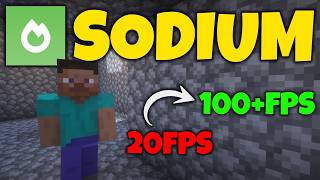
Sodium is a free, open‑source optimization mod for the Java edition of Minecraft. Developed by the team behind the popular Fabric mod loader, Sodium focuses on improving rendering performance without altering gameplay. As of 2026, the mod has surpassed 36.9 million downloads, making it one of the most trusted tools for players who want smoother visuals and higher frame rates.
When to Consider Installing Sodium
If you notice any of the following while playing:
- Frequent lag spikes during large builds
- Low FPS on modern hardware
- Choppy animations when exploring dense forests or redstone contraptions
- High CPU usage that slows down other applications
…then Sodium can be a game‑changer. The mod is designed to work alongside most Fabric‑compatible mods, so you can keep your favorite enhancements while gaining a performance boost.
How to Download and Install Sodium
Step 1: Install the Fabric Loader
Before adding Sodium, you need the Fabric mod loader, which provides the framework for the mod to run.
- Visit the official Fabric website at fabricmc.net.
- Download the installer that matches your operating system.
- Run the installer, select the Minecraft version you use (e.g., 1.20.4), and click Install.
- Make sure the “Create profile” option is checked so Minecraft automatically adds a Fabric profile to the launcher.
Step 2: Get Sodium
Sodium is hosted on CurseForge and Modrinth. Both sites provide the latest stable release.
- Go to the Sodium page on Modrinth (modrinth.com/mod/sodium) or CurseForge.
- Choose the version that matches your Minecraft and Fabric loader (e.g., Sodium 0.5.0 for Minecraft 1.20.4).
- Click the Download button to save the .jar file to your computer.
Step 3: Add Sodium to Your Mods Folder
- Open the Minecraft launcher and select the Fabric profile you created.
- Click Installations, then the folder icon next to the Fabric entry to open the game directory.
- Locate the mods folder (create one if it does not exist) and drop the Sodium .jar file inside.
- Launch Minecraft using the Fabric profile. Sodium will automatically load, and you’ll see a brief notification on the main menu confirming the mod is active.
Best Settings for Maximum FPS
While Sodium works well out of the box, tweaking a few options can push performance even further. All settings are accessed from the “Video Settings” menu under the “Sodium Settings”


![Sodium Mod V3 For MCPE 1.21+ [FPS BOOST]](https://i.ytimg.com/vi/Jt-k919NaJQ/mqdefault.jpg)


